Seneca Careers · for candidates
Your work, confirmed by the people who were there.
Write up what you did on a capstone, an internship or a club project. Ask a teammate, supervisor or professor to confirm it. Share one link with any employer.
It helps most when you don't have job titles yet, and your best work is one line on a résumé.
- Pilot
- Free to build and share
- 18 or older
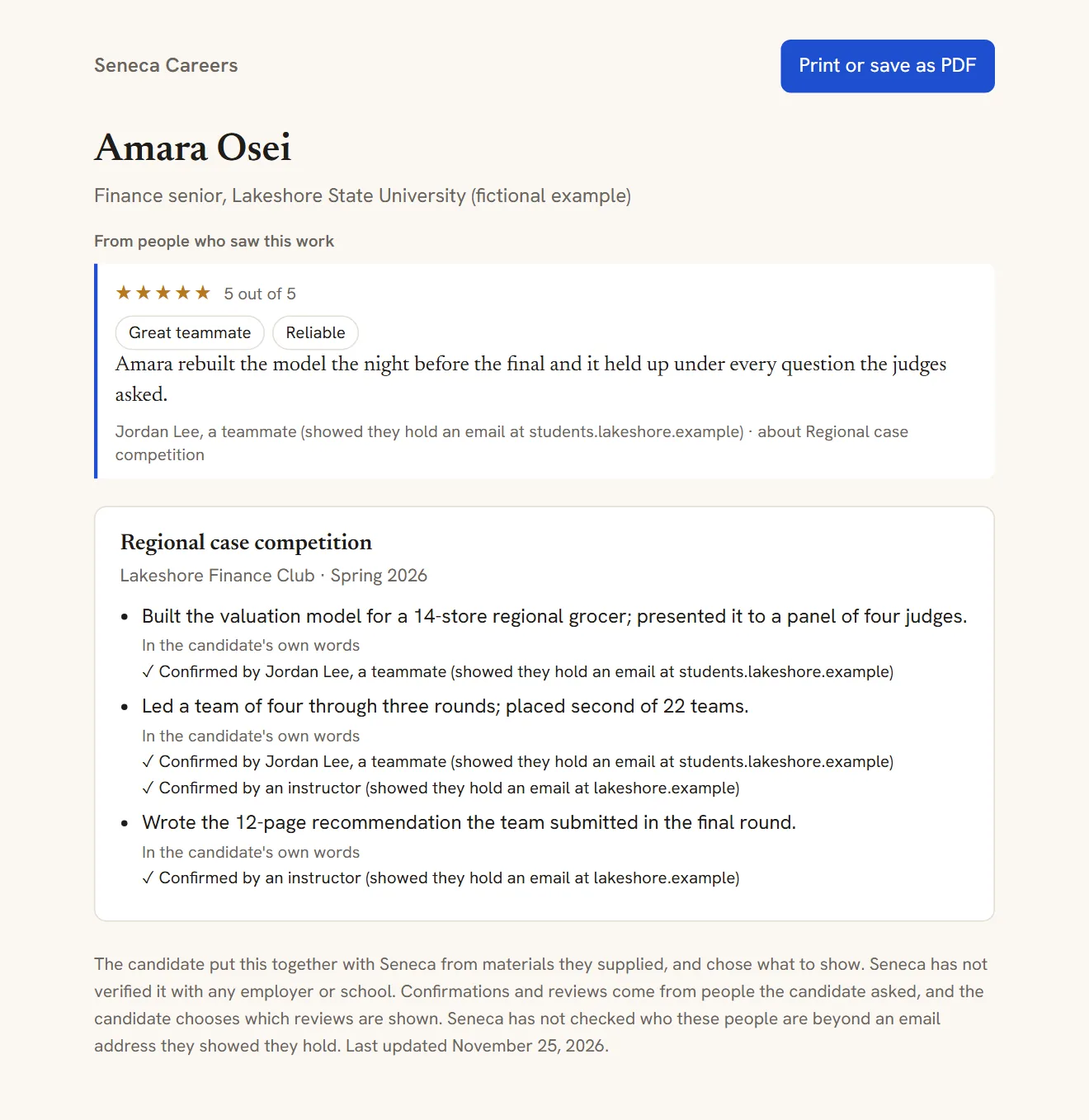
How it works.
Four steps. Nothing reaches an employer until the last one, and only what you choose.
- 01
Sign in
Sign in with any email, add your name and confirm you are 18 or older.
- 02
Write up a piece of work
What was yours to decide, how big it was, who it was for, and what came of it. One line each. Nothing can be shown or confirmed until you approve it.
- 03
Ask the people who were there
Send one link to a teammate, supervisor or instructor. They sign in, tick the lines they saw and can leave a review. You choose which reviews are shown.
- 04
Share one link
Choose which work the link shows. Paste it into your LinkedIn or Handshake profile, an application form, or your résumé. Change it or end it whenever you want.
What an employer sees on your page.
- Each piece of work, in a few lines. A title, where and when, and what you did, written the way you would on an application: led by what you did, with the numbers and the result.
- Where each line comes from. A line you wrote is marked as your own words. A line drawn from a document you brought is marked with the kind of document.
- Who confirmed it. A line someone ticked says how they know the work, for example "Confirmed by a teammate", "a supervisor" or "an instructor".
- A name only with an email behind it. A confirming person is named only if they agree and hold a school or work email. Anyone who holds one has its domain shown beside their confirmation, never the address.
- The reviews you chose. A review is a rating out of five, a few words from a fixed list, and a short comment. You see every review and decide which ones are shown.
- A plain note at the bottom. It says you put the page together, and that Seneca has not checked who anyone is beyond that email.
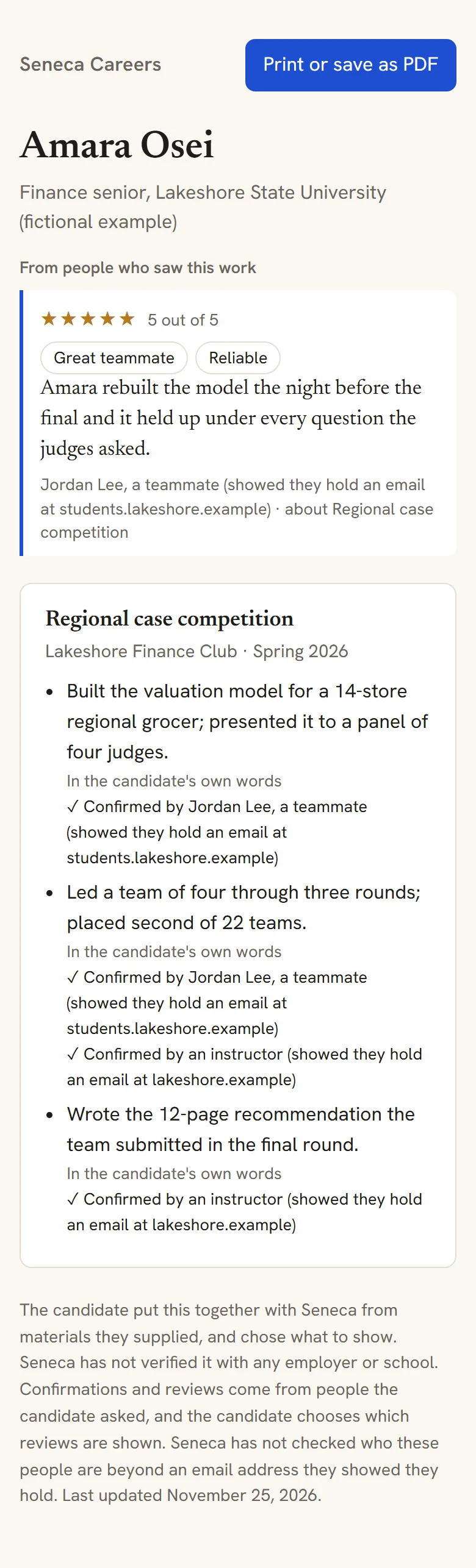
You decide what is on it.
What stays in your control
- Private until you publish. Writing up your work shares nothing.
- You approve every line, and choose which pieces of work the link shows.
- You choose which reviews show. One you leave hidden leaves no trace on the page.
- A tick is different. When someone ticks a line, that line says it was confirmed. The form tells them so before they send it.
- Edit a line and its confirmation drops off. A confirmation is for the exact words that person saw. Ask again to have the new wording confirmed.
- End the link, or leave entirely. Ending the link closes the page. Deleting your Seneca account deletes your profile, your record and every link.
A school or work email
- You can sign in with any email. Nothing here needs a school address.
- You can add one later. Seneca emails it a six-digit code. The next time you update your page, it says you showed you hold an email at that domain.
- Seneca keeps the domain, and a one-way fingerprint of the address so it can't be used on a second account. It does not keep an address you add.
What an employer never sees
- Work you didn't put on the link
- Your private read: where your record is thin and what to build next
- A score, rank or prediction from Seneca
- A total or an average of your reviews
Your first detailed read is free.
It is a read of your own documents, and it takes no card. Building your record, asking for confirmations and sharing your link are free as well. After the first read, updated reads are part of Premium: $9.99 a month or $79 a year, and you can cancel any time. Paid checkout is not open in every state yet; the pricing page says what you can do where it is not.
What you bring
Your résumé, project write-ups or reviews. An AI model reads them to draft the read, and the files are not kept.
What you get
A private written review: what you personally handled, where your responsibility grew, and which examples to lead with. Name where you want to get to, and it says where your record is thin for that and what to build next.
What it changes on your page
Premium gives no extra access to employers. On your page it shows up to 10 of your reviews where the free plan shows 3, and adds a Premium star. See everything that is free and what Premium covers.
Questions candidates ask first.
Will this help me get hired?
It gives you a stronger case to make. No one can promise an offer, and Seneca does not. What changes is what you walk in with: a line like "Senior capstone" becomes what you built, who it was for and what came of it, with the people who were there saying so.
Why not just ask ChatGPT to improve my résumé?
A chatbot can write you a more impressive résumé, including lines you could not back up in an interview. Here every line is one you approved, your part is kept apart from your team's, and other people can confirm what they saw.
What if nobody confirms my work?
Your page still works. Each line is marked with where it comes from, and nothing on the page says a confirmation is missing.
Do I need a school email?
No. Sign in with any email. A school or work email only matters if you want your name shown when you confirm someone else's work, or want your page to say you hold one.
Who can see my record?
Only you, until you share it. Someone you ask to confirm sees your name and the lines of that one piece of work. Once you publish your link, anyone who has it can open the page, and it is kept out of search engines.
What does it cost?
Building, confirming and sharing are free, and so is your first detailed read. After that, updated reads are part of Premium, which is $9.99 a month or $79 a year and renews until you cancel.
Start with one piece of work.
Sign in, write up the project you are proudest of, and send one teammate the link. A question? Email kevinchoi@vindicaseneca.com.